
Speechify
Listen to PDFs, web pages and documents read aloud by natural AI voices, on any device.
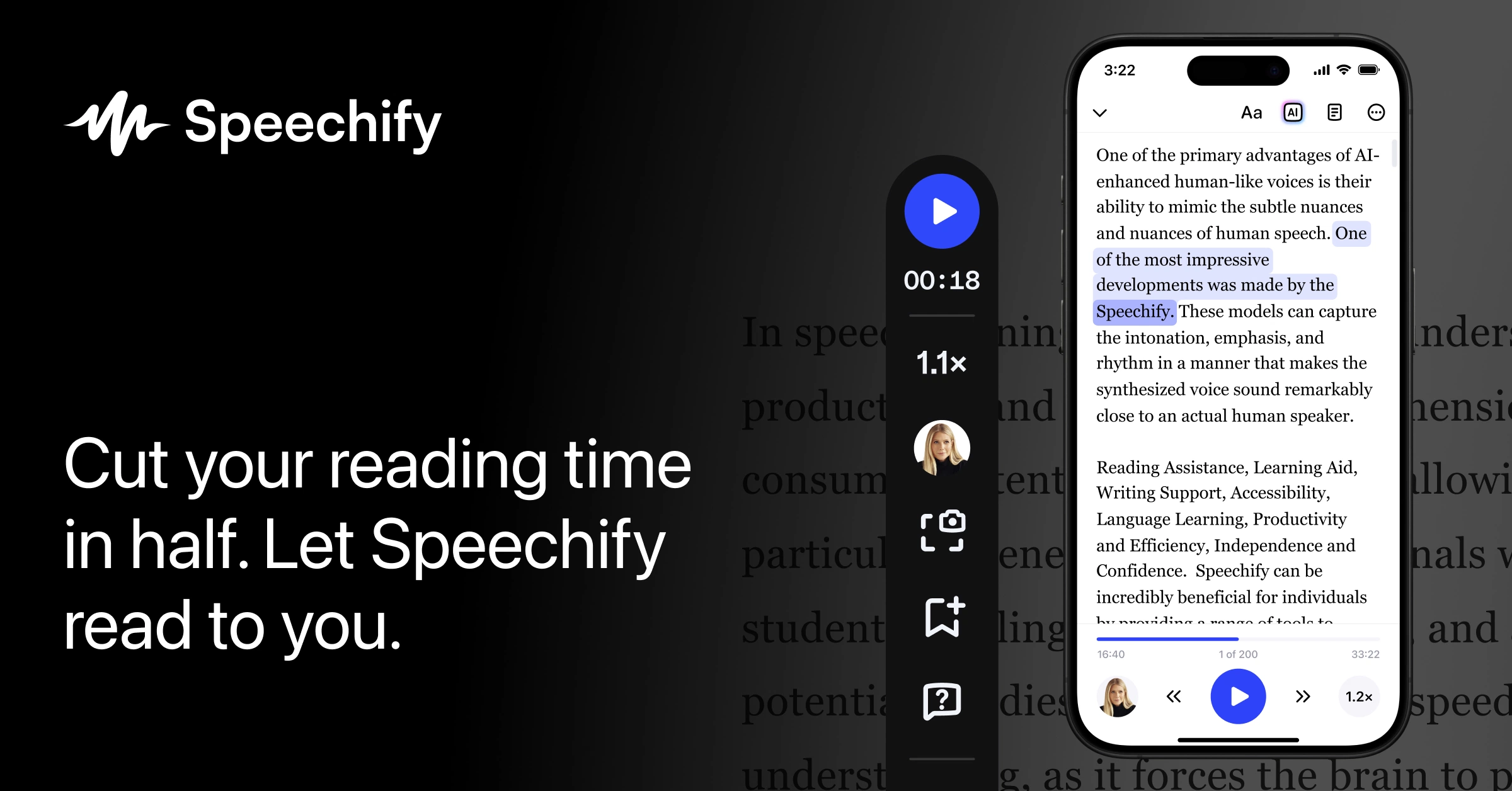
Speechify is a text-to-speech app that reads your content aloud: PDFs, ebooks, web pages, Google Docs, Word files and emails. Instead of reading, you listen, with natural-sounding AI voices at the speed you choose. Founder Cliff Weitzman is dyslexic: he first hacked together a text-to-speech system to get through his reading at Brown University, then turned it into Speechify.
The publisher, Speechify Inc., claims more than 55 million users. Its iPhone app has been on the App Store since March 2017 and holds a 4.7/5 rating from nearly 530,000 ratings on the US App Store, where it is rated 4+.
How does Speechify work?
You upload a file (PDF, EPUB, DOCX, TXT…), paste text or a link, or snap a photo of a printed page, which optical character recognition (OCR) turns into audio. Pick a voice and a speed, and the text is highlighted as it is read. The Chrome and Edge extensions read web pages right in your browser.
On top of that come AI features: a voice assistant that summarises pages and answers your questions, "AI podcasts" generated from your documents, and Voice Typing, a dictation tool that turns speech into clean text. Premium subscribers can download audio to listen offline. Speechify runs on iPhone, iPad, Android, Mac, Windows and the web. Speechify Studio, a separate product, handles voice-overs and dubbing.
Speechify pricing in 2026
The free version reads text with 10 robotic-sounding voices at up to 1.5x speed. Premium costs $29 a month billed monthly, or $139 billed yearly, which works out at about $11.60 a month. It unlocks more than 400 natural voices in 60+ languages, up to 5x listening speed, page scanning, AI summaries and chat, and Google Drive, Dropbox and OneDrive integrations. A free Premium trial is available. Website prices are in US dollars; in-app prices may differ. Schools and businesses buy through the sales team.
Our verdict on Speechify
Pros: it reads almost anything, on every device, with natural voices. Text highlighting and adjustable speed make it a genuine help for dyslexia and long reading lists.
Cons: a very limited free version with robotic voices, an expensive monthly plan, and prices that change depending on whether you pay on the website or in the app. AI summaries and answers can contain mistakes, so check them before relying on them.
Speechify alternatives
- NaturalReader: another read-aloud app for documents, in several languages.
- ElevenLabs: highly realistic AI voices for voice-overs, voice cloning and dubbing.
- NotebookLM: Google's tool that turns your documents into audio podcasts and summaries.
- Murf: an AI voice-over studio for videos and presentations.
Frequently asked questions
Is Speechify free?
Partly. The free version reads text aloud with basic voices. Natural voices, faster speeds and AI features require Premium, at $29 a month or $139 a year.
Which languages does Speechify support?
More than 60 reading languages, including English, French, German and Spanish, with a range of accents. The app itself is available in 40 languages.
Is Speechify suitable for children?
Yes. The app is rated 4+ on the App Store, and Speechify offers plans for schools.
Features
Key features
- Read aloud: PDFs, EPUBs, DOCX files, web pages, emails and pasted text.
- 400+ natural voices: 60+ languages, plus celebrity voices on Premium.
- Scan & Listen: snap a printed page and OCR turns it into audio.
- Highlighting and speed control: follow the text as you listen, up to 5x on Premium.
- Voice AI assistant: summaries and answers about whatever you are reading.
- AI podcasts and dictation: turn a document into an audio show, and write by voice.
- Cross-platform: iPhone, iPad, Android, Mac, Windows, web, Chrome and Edge extensions.