

TurboScribe
Transcribe audio and video files into text and subtitles in 98+ languages, with no usage caps.
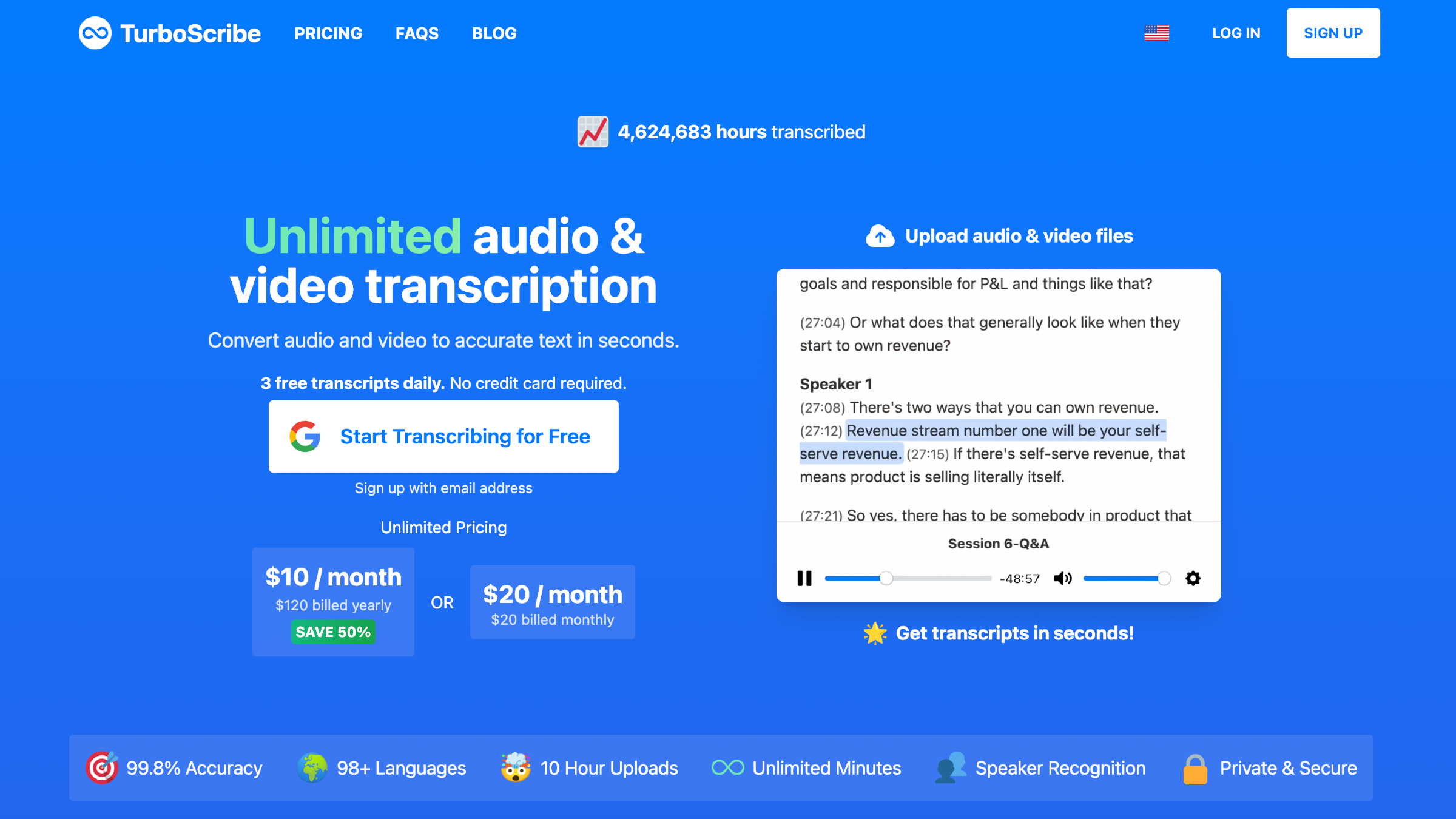
TurboScribe is an AI transcription service: you upload an audio or video file and get the text back within minutes, with subtitles if you need them. It runs on Whisper, OpenAI's speech recognition model, and handles more than 98 languages. The publisher claims 99.8% accuracy, and the counter on its homepage shows over 60 million hours transcribed.
The service is run by Leif Erikson Ventures, LLC and was built by Leif Foged, who says he spent almost a decade building AI systems at companies such as Meta.
How does TurboScribe work?
You drop in a file (MP3, MP4, M4A, MOV, WAV and most common formats) or a YouTube video, pick the spoken language and choose one of three modes: Cheetah, the fastest, Dolphin, balanced, or Whale, the most accurate. Extra settings label speakers, transcribe any language straight into English, or clean up noisy audio before transcription.
You can read the result online and export it as PDF, DOCX, TXT or CSV, or as SRT and VTT subtitles. A translation tool converts transcripts and subtitles into more than 130 languages, and bulk exports handle whole folders. Everything runs in the browser.
TurboScribe pricing in 2026
The free plan covers 3 files a day, up to 30 minutes each, one upload at a time and with lower processing priority. No credit card is required.
TurboScribe Unlimited costs $20 per month billed monthly, or $10 per month billed yearly ($120). It unlocks unlimited transcription for one person, files up to 10 hours and 5 GB, 50 files per upload, translation, bulk exports, every transcription mode and unlimited storage. Accounts cannot be shared, and you can cancel at any time from your account settings.
Our verdict on TurboScribe
Pros: a genuinely unlimited plan at a fixed price, with no minutes to count, a free plan that works well for short files, support for very long recordings and plenty of export formats.
Cons: the free plan stops at 30 minutes per file and waits behind paying users, and prices are set in US dollars. The publisher itself notes that accuracy varies by language, so professional use still calls for a proofread.
TurboScribe alternatives
- Happy Scribe: an all-in-one transcription and subtitling platform.
- Sonix: automated transcription and translation in a few clicks.
- Otter: a meeting assistant that records, transcribes and summarises your calls.
- MacWhisper: a Mac app, also built on Whisper, that transcribes on your own computer.
Frequently asked questions
Is TurboScribe free?
Partly. The free plan transcribes 3 files a day, up to 30 minutes each, with no credit card. For more, TurboScribe Unlimited costs $20 per month, or $10 per month billed yearly.
Which languages does TurboScribe support?
More than 98 spoken languages. The publisher says English, Spanish, French, German and 18 other major languages give the best results. Transcripts can then be translated into more than 130 languages.
Is TurboScribe safe and private?
According to the publisher, files and transcripts are encrypted (AES-256) and only you can access them. Transcription runs on machines it owns or controls, with no third-party service, and your files are not used to train AI models. Data is hosted in the United States and can be deleted at any time.
Features
Key features
- Unlimited transcription: no usage caps on the paid plan, for one person.
- 98+ languages: speech recognition powered by Whisper, with three modes from fastest to most accurate.
- Large files: up to 10 hours and 5 GB per file, 50 files per upload.
- Speaker recognition: each section is labelled with who is speaking.
- Translation: transcripts and subtitles in more than 130 languages.
- Exports: PDF, DOCX, TXT, CSV and SRT or VTT subtitles, including bulk exports.
- Audio restoration: removes background noise from poor recordings.